Check your video before you post it
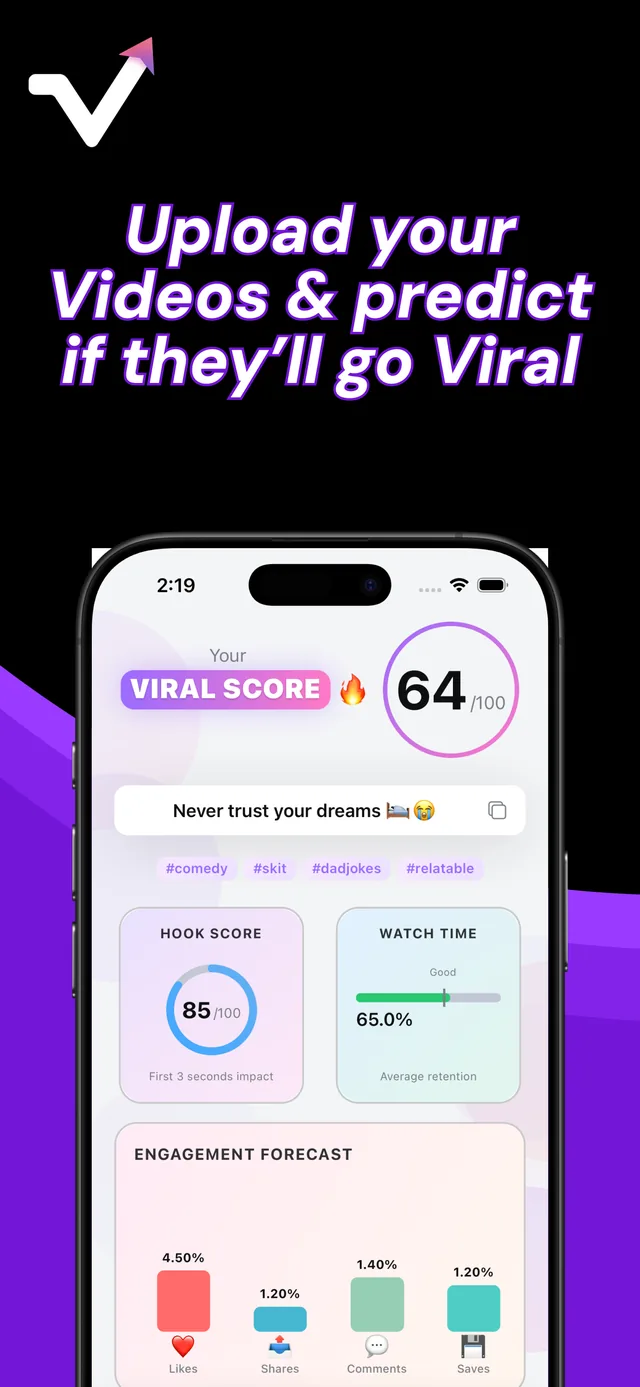
Upload a TikTok, Reel or Short from your camera roll. Viral IQ watches the whole clip, gives it a viral score from 0 to 100, predicts where viewers will drop off and tells you what to change while you still can.
For TikTok, Instagram Reels and YouTube Shorts. No account or social login needed.
How it works
-
1
Tell it about your channel
Pick your main platform, your topics, your audience and the tone you go for. The feedback is written for that.
-
2
Upload the video
Choose a finished clip up to 2 minutes long from your camera roll. The result is ready in seconds to a minute, depending on the file size.
-
3
Fix it and check again
Read what the AI flagged, rework the opening or cut the slow part, then run the new version. Post the one that scores higher.
What it says about a real video
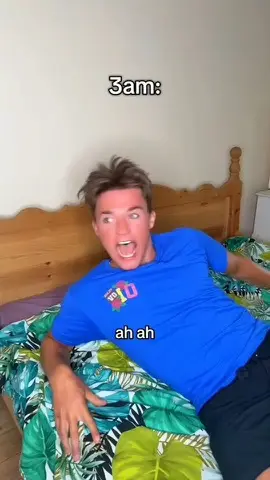
This is the sample report you see in the app before your first analysis. Your own videos get the same breakdown in seconds.
Viral score
Strong hook, weak ending
- Open on the moment of motion.
- Cut the pause at 0:04.
- End with a question in the caption to pull comments.
What you get for every video
Viral score
One number from 0 to 100 that sums up how ready the video is. Most useful when you compare two edits of the same clip.
Hook score
A separate 0 to 100 rating for the opening seconds, where most viewers decide to stay or swipe.
Retention forecast
The predicted share of viewers still watching at 25%, 50%, 75% and the end, plus average watch time.
Engagement forecast
Expected like, comment, save and share rates, so you can see if a video is more likely to be saved or sent to a friend.
Rewatch and scroll-away risk
How likely people are to watch it again, and how likely they are to swipe away early.
Feedback, title and hashtags
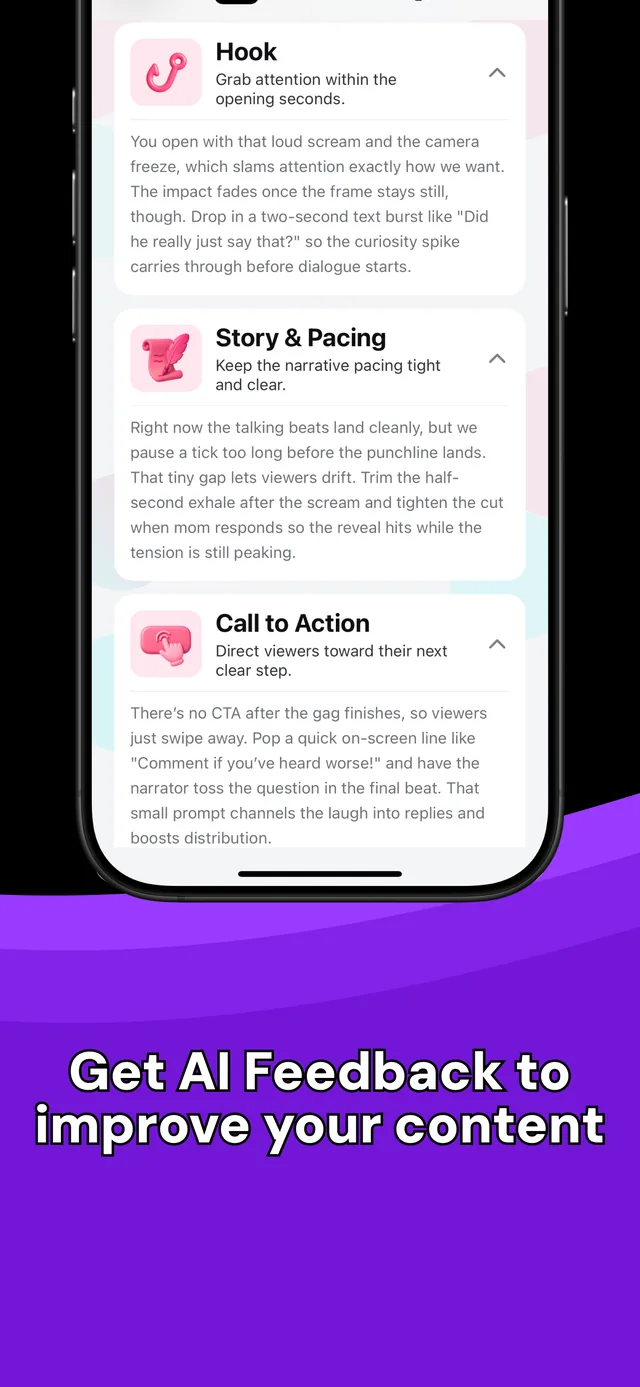
Notes on the hook, pacing, call to action, audio, visuals, on-screen text, trend fit and platform fit, plus a title and 3 to 5 hashtags.
Who it is for
New creators
You post, the views stall at a few hundred and you do not know why. The feedback shows which part of the video loses people.
Creators who post every day
Run two edits of the same idea and post the one with the stronger hook and retention forecast.
Small businesses and UGC creators
Check a product video or a UGC ad before you post it or send it to a brand.
Social media managers
Get a second opinion on client videos before you schedule them.
Notes you can use in your next edit
The feedback points at specific moments in your video, like trimming the half-second pause before a punchline or adding an on-screen line that invites comments.
- Written for your niche and platform
Your topics, audience and main platform shape every note.
- In your language
The app and its feedback are available in more than 40 languages.
- Your video is not kept
It is deleted after the analysis. Only the scores and feedback stay in the app.
Frequently asked questions
How does Viral IQ predict if a video will go viral?
It uses Google's Gemini AI to watch the whole video, including the picture, the sound and the on-screen text. It rates the hook, pacing, audio, visuals and the other parts that affect whether people keep watching, then turns that into a viral score and a list of fixes.
Is the viral score accurate?
It is an estimate, not a promise. It is good at catching what costs views, like a slow start, a late payoff or text that is hard to read. It cannot know your timing, your audience on that day or luck, so use it to compare versions and fix weak spots.
Which platforms does it work for?
TikTok, Instagram Reels and YouTube Shorts. You pick your main platform and the feedback, including the platform fit notes, is written for it.
Do I need to connect my TikTok or Instagram account?
No. You upload the video file from your iPhone. There is no sign-up and no social login.
How long can my video be?
Up to 2 minutes.
What happens to my video after the analysis?
It is deleted after processing. Only the scores and the feedback are kept. The Privacy Policy has the details.
Is there an Android version?
Not yet. Viral IQ is available for iPhone and iPad.
Guides for creators
Will my TikTok go viral?
Want to know if a TikTok will go viral before you post it? Run this 5-point check, or upload the video to Viral IQ for a viral score and specific fixes.
HooksTikTok hooks: the first 3 seconds
Viewers decide in the first seconds whether to keep watching. Four hook types for TikTok, Reels and Shorts, 10 openers to adapt and how a hook score works.
TroubleshootingWhy do my TikToks get no views?
TikToks stuck at 0, 200 or 300 views? Find the real cause in 10 minutes: account status, For You eligibility, the first 3 seconds or the topic, and how to fix it.
Instagram ReelsGet more views on Instagram Reels
What helps Instagram Reels reach people who do not follow you: sends, watch time, clear audio, original content and a few specific hashtags. With a checklist.
Check your next video before it goes live
Get a viral score, a hook score and a list of fixes in about a minute.
Download on the App Store